You can choose different URL formats when building a multilingual website. Let´s group these into three different structures and examine advantages and disadvantages.
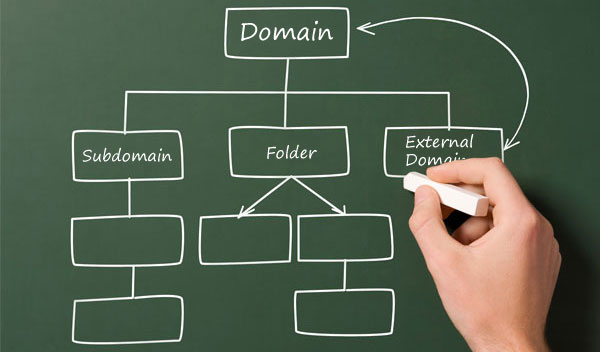
1. ccTLDs: Country Code top-level Domains
These are Internet top-level domains that are reserved for a geographical area.
Examples:
- https://mywebsite.es (Spain)
- https://mywebsite.uk (United Kingdom)
- https://mywebsite.de (Germany)
- https://mywebsite.it (Italy)
Here you have a list of Country code top-level domains.
Advantages:
- It’s clear to the users living in the geographical country
- It’s clear for search engines what geographic area the site is intended to target
- Server location is not important (Search engines consider this in their geo-targeting algorithms )
Disadvantages:
- It’s more difficult to set up and more expensive than the other options
- Perhaps your domain is taken in another country
- Sometimes there might be legal requirements that have to be fulfilled to acquire certain ccTLD’s
- Different SEO strategies in each domain
Configure domains in a WordPress multilingual website:
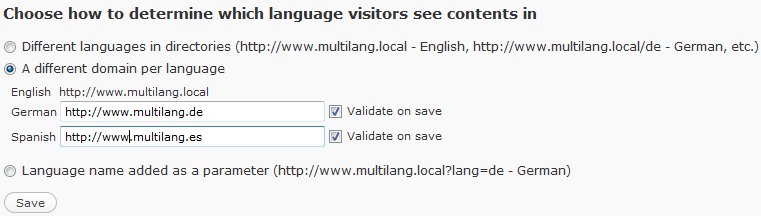
- WordPress standalone installation: WPML plugin can serve different languages from different domains. However, some setup is required in your web hosting. Read this article.
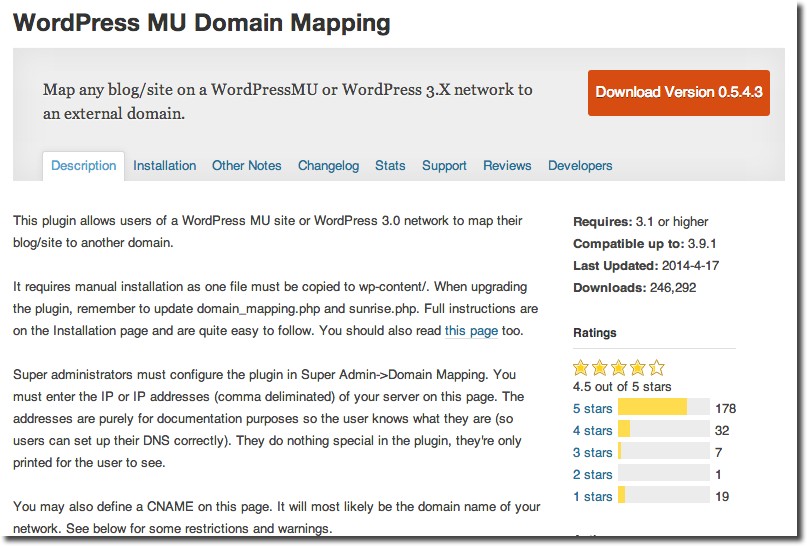
- WordPress Multisite: It’s possible to achieve these kinds of URL for each language by using the popular Domain Mapping plugin. This plugin allows users of a WordPress Multisite network to map their website to another domain.
2. gTLDs: Subdomains with generic top-level domains
Generic top-level domain core group includes: .COM, ,ORG, .INFO, .NET, etc. When used with subdomains, this is one of the great choices in achieving proper geo-targeting for your multilingual WordPress site.
Examples with .COM:
- https://es.mywebsite.com
- https://uk.mywebsite.com
- https://de.mywebsite.com
- https://it.mywebsite.com
Examples with .ORG:
- https://es.mywebsite.org
- https://uk.mywebsite.org
- https://de.mywebsite.org
- https://it.mywebsite.org
Advantages:
- It’s a cheap option. You only need to buy one domain and renew every year
- There are hardly any restrictions
- Easy to use webmaster tools on each subdomain
- There is no URL modification necessary to avoid a possibility of conflicts between similar URL’s
Disadvantages:
- Unlike ccTLD’s, the user cannot easily recognize geo-targeting from the URL alone (is «es» the country or the language?).
Configure subdomains in a WordPress multilingual website:
- WordPress standalone installation: WPML and other translation plugins can serve different languages from different subdomains. Link: WPML: setting for languages in different domains
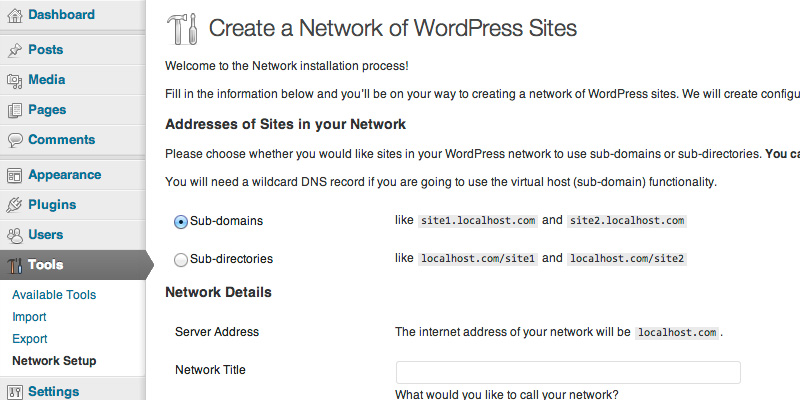
- WordPress Multisite: WordPress multisite architecture takes care of this URL structure perfectly and allows you to assign a subdomain for each new language you are creating. It’s easy to import a single website into an existing WordPress multisite using this kind of URL structure. Note that is only possible if you chose the subdomain URL structure during multisite installation.
3. gTLDs: Subdirectories with Generic top-level domains
In this case the languages appear to be in virtual subdirectories.
Examples:
- https://mywebsite.com/es/
- https://mywebsite.com/en/
- https://mywebsite.com/de/
- https://mywebsite.com/it/
Advantages:
- Very easy to set up
- It’s a cheap option. Only one domain is maintained
- You can use webmaster tools for geo-targeting
- No restrictions on acquiring a name as with ccTLD’s
- A unique SEO strategy for one domain
Disadvantages:
- Users cannot easily recognize geo-targeting from URL
- Separation of sites is more difficult
Configure subdirectories in a WordPress multilingual website:
- WordPress standalone installation: All translation plugins allow configure easily subdirectories. See here the most important WordPress translation plugins.
- WordPress Multisite: WordPress multisite allows you to assign a subdirectory for each language you are creating. Note that is only possible if you chose the subdirectory URL structure during installation.
Updated: May 5, 2025
Effortless Multilingual URL Structures with GTranslate
To simplify this process, GTranslate Premium offers support for all three URL formats sub-directories, sub-domains, and custom domains – through its Language Hosting feature. This solution allows you to implement your preferred URL structure effortlessly, with minimal configuration and fast setup. Whether you’re aiming for optimal SEO with sub-directories or want brand-specific domains for each language, GTranslate makes it quick and seamless to launch a fully translated, multilingual site.
Do you use domain, subdomain or subdirectory in your WordPress website? Why?

WordPress Multisite works with different domains without a plugin, like Domain Mapping. Only the goal to use alias works not with with the default of WordPress core. Then is a plugin helpful, like Domain Mapping or Mercator.
See also my hints for this topic in public gitbook. https://github.com/bueltge/WordPress-The-Right-Way/blob/master/en/multisite/README.md
Best regards
Very interesting Frank. Thanks for the link!
Best regards
I’m currently working on implementing this on my site. However, it’s not working. Keep getting 404 errors. Could this be plugin or host or user error?
Implementing this on my site? What?
Thanks for the information for clarifying the ad and disad of subdomain and subfolder
I want to build a site that has four different versions but that share basically the same content, but not entirely. I explain…
Each site is in a different language that I will write myself (no automatic translation)
Different illustrations and ads
Different display of main content, which will be videos (videos are the same but displayed differently.
What do I do? Multisite? Country filter plugin?
You can use WPML or Multisite with a multilingual network plugin. More info in this article: http://wplang.org/translation-plugins-languages/
One of the disadvantages listed for using item 3 – gTLDs: Subdirectories with Generic top-level domains is that “Separation of sites is more difficult.” May I ask why this is so, and why it is implicitly not a disadvantage for item 2 – gTLDs: Subdomains with generic top-level domains? Apologies in advance if this should be self-explanatory 🙂
Hi JayZee. Im fairly new to this area but one potential difficulty with folders is that I don’t think I can check the indexed pages on Google so easily. E.G. I can check the number of indexed pages by entering ‘site:it.europasurfandsail.com’ but not ‘site:www.europasurfandsail.com/IT’. In terms of organization, if you are changing page and blog URL names to suit each language (which I think is essential) there’s no real risk of duplication or confusion.
I’ve changed to subdomains from ‘lang=’ but am about to change again to subfolders as Google ranking treats all subdomains as different sites and I want my www. ranking to aid my German and Italian language variants. I’ ve seen a big drop in ranking since changing from subfolders (not using a CMS like WP) to using WP/WPML with language parameters.
Hello, thank you very much for this article, it is very useful.
I am running a small size business and using Worpdress. We are now taking to next level our business and start selling in other countries, therefore we need to implement different languages in our website.
From the three options mentioned in the article, for us the best option would be using subdirectories. We think that Multisite can be very difficult to manage and we think that also consumes a lot of resources from the server and also there are security issues that you need to keep in eye all the time, so this is also an important cost. Subdomains may affect our SEO strategy but could be an option if we use separate installations instead of WordPress Multisite.
Because we are thinking to create different contents per country, we think that subdirectories can be a good solution, however I would like to ask if there is any inconveniences of using this option.
We have tried to use a multilanguage plugin but there is always a problem when configuring the site or installing new plugins. We think that subdirectories will allow us to manage different wordpress installations with its own database and core language so we can keep it as simple as possible. We are using Genesis Framework which give us a lot of speed and we are happy with this.
I would be very grateful if you could please tell if this option (subdirectories) is a good options with no many drawbacks to consider.
Thank you very much in advance.
We are in Dating & Matchmaking business. We used ccTld during 5 years and now we are using one domain .com with /folders. All ccTld are now redirected to .com/folders
Our experience:
It is much easier to promote and handle one domain name than 5 domain names.